
There’s nothing quite like sinking into your seat as the lights dim and a cinematic masterpiece fills your home theater screen. The surround sound envelops you, the visuals captivate your senses, and for a moment, you’re transported into another world. But two hours in, that magic fades when your lower back starts aching, your neck stiffens, and you find yourself constantly shifting to find a tolerable position. For movie enthusiasts who invest in a home theater seating 4 seater configuration, discomfort during extended viewing sessions is a frustratingly common problem that undermines the entire experience.
The challenge goes beyond simple annoyance. Poor seating comfort leads to posture issues, chronic fatigue, and can even discourage you from using the space you’ve invested in. Every member of your household has different body types and comfort preferences, making a one-size-fits-all approach inadequate. This guide addresses these problems head-on, offering practical solutions for optimizing your 4-seater home theater seating through proper feature selection, personalized adjustments, and smart layout planning that ensures every seat in the row delivers the comfort your movie nights deserve.
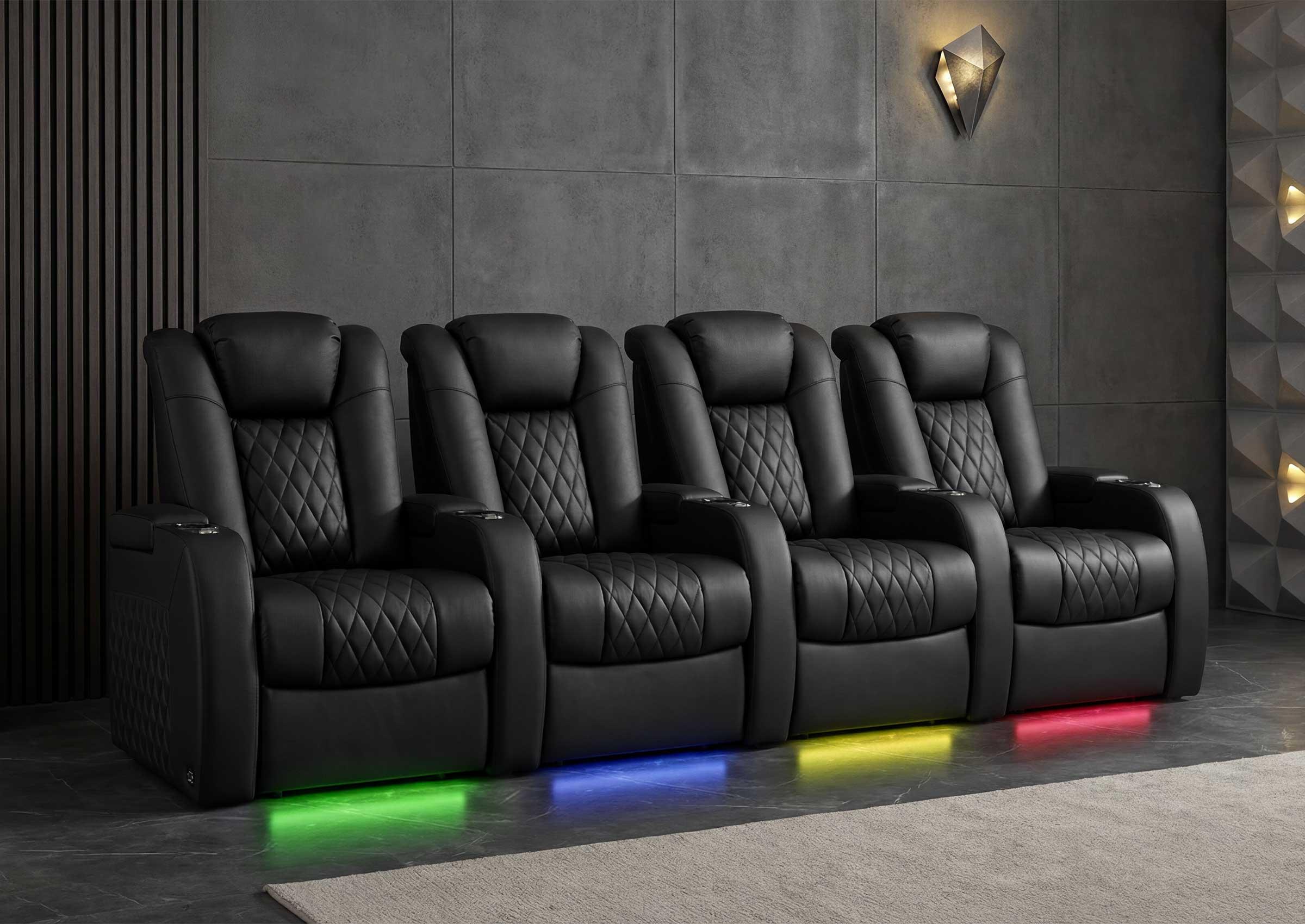 Understanding the Importance of Comfort in Home Theater Seating
When you’re settling in for a three-hour epic or binge-watching an entire season, your seating becomes the single most important factor determining whether that experience feels like a luxury or an endurance test. Comfort in a home theater seating 4 seater arrangement isn’t a nice-to-have — it’s the foundation that makes everything else worthwhile. Without it, even the most advanced audio-visual setup loses its appeal.
The consequences of inadequate seating extend well beyond momentary discomfort. Prolonged sitting in poorly designed chairs forces your spine into unnatural curves, compresses your lumbar region, and strains your neck as you unconsciously crane toward the screen. Over time, these habits contribute to chronic back pain, tension headaches, and muscle fatigue that lingers long after the credits roll. Movie enthusiasts who use their home theaters regularly are especially vulnerable, as repeated exposure to poor ergonomics compounds these effects.
The good news is that modern home theater seating addresses these challenges through three critical comfort elements: recliners that distribute body weight evenly, adjustable headrests that maintain proper cervical alignment, and dedicated lumbar support systems that protect your lower back. Together, these features transform passive sitting into an actively supportive experience. Understanding how each one contributes to posture support and personal comfort preferences is the first step toward making every seat in your four-seater row feel like the best seat in the house.
Essential Features for Optimal Comfort: Recliners, Adjustable Headrest, and Lumbar Support
A home theater seating 4 seater setup lives or dies by the features built into each chair. While aesthetics and room design matter, the mechanical and ergonomic elements determine whether your family actually enjoys spending hours in those seats. Three features stand above the rest in their ability to transform viewing comfort: the reclining mechanism, adjustable headrests, and lumbar support systems. Each serves a distinct purpose in maintaining healthy posture while accommodating the comfort preferences of different users sitting side by side.
Recliners: The Foundation of Relaxation in Home Theater
Reclining capability forms the backbone of any serious home theater seat. Manual recliners use a lever or push-back mechanism, giving you basic angle adjustment with reliable simplicity and fewer components that could fail over time. Power recliners, on the other hand, use electric motors controlled by buttons or touchpads, allowing you to find precise angles with minimal effort — a significant advantage when you want micro-adjustments without disrupting the movie. The real benefit of reclining goes beyond just kicking back. When you recline to approximately 100-110 degrees, you redistribute your body weight away from your spine and tailbone, reducing pressure points that cause numbness and stiffness during long sessions. A well-designed recliner opens up the hip angle, eases tension in the hip flexors, and allows your circulatory system to function more efficiently. For a 4-seater configuration, power recliners prove especially valuable because each person can independently find their ideal position without physically wrestling with a mechanism that might jostle their neighbor.
Adjustable Headrest and Lumbar Support: Keys to Posture and Discomfort Prevention
Your neck and lower back bear the brunt of poor seating design, and adjustable headrests paired with lumbar support directly address both vulnerable areas. An adjustable headrest allows each viewer to position the cushion at the exact height where it cradles the base of the skull, maintaining the natural cervical curve rather than pushing the head forward. This prevents the “text neck” posture that causes tension headaches and shoulder strain during extended viewing. Look for headrests that adjust both vertically and in tilt angle so shorter and taller family members can each achieve proper alignment. Lumbar support works on the lower spine, filling the natural inward curve that unsupported seats tend to flatten. The best systems offer adjustable firmness — either through manual knobs or inflatable air bladders — so each person can dial in the exact amount of pressure their back needs. When setting up your seats initially, sit fully back against the backrest and adjust the lumbar pad until you feel gentle, consistent pressure in the small of your back without any sensation of being pushed forward. The headrest should support your head without requiring you to lean back to reach it. These two features working together create a posture chain from your lower back through your neck that lets you remain comfortable and properly aligned for hours.
Step-by-Step Guide to Optimizing Your 4-Seater Home Theater Seating
Knowing which features matter is only half the equation. The real transformation happens when you take the time to fine-tune each seat in your home theater seating 4 seater row to match the specific needs of the people who use them. The following steps walk you through a practical optimization process that turns factory-default settings into personalized comfort zones for every viewer in your household.
Step 1: Adjusting Recliners for Individual Comfort Preferences
Start by having each person sit in their preferred seat and experiment with the recline range. Rather than immediately going to full recline, begin in the upright position and slowly tilt back until you reach the angle where your thighs feel fully supported without any pressure behind your knees. For most viewers, this sweet spot falls between 100 and 120 degrees, though someone who prefers an active watching posture — leaning slightly forward during intense scenes — may settle closer to 95 degrees. Taller individuals typically need a deeper recline to fully extend their legs without their feet hanging off the footrest, while shorter viewers often find that a moderate recline with the footrest partially raised keeps their legs from dangling uncomfortably. If your seats have power recline with memory positions, program each person’s ideal angle so they can return to it instantly at the press of a button. Pay attention to how the recline angle interacts with your screen height — if you find yourself tilting your chin up or down to see the display, your recline position needs further adjustment rather than your neck compensating for a poor angle.
Step 2: Customizing Headrest and Lumbar Support for Posture Support
Once the recline angle is set, move to the headrest. Sit fully back against the seat and adjust the headrest height so that the center of the cushion aligns with the curve where your skull meets your neck. You should feel the weight of your head gently resting on the support without any effort from your neck muscles. If the headrest tilts, angle it forward just enough that it makes contact naturally at your chosen recline position — you shouldn’t have to press your head backward to reach it. Next, address the lumbar support. Place your hands behind your lower back while seated and identify the hollow space between your spine and the backrest. Adjust the lumbar pad upward or downward until it fills that gap precisely, then increase firmness gradually until you feel steady, even pressure without any sensation of being pushed away from the seat. A common mistake is over-inflating or over-tightening lumbar support, which creates a pressure point rather than distributed support. Check your settings after about 30 minutes of viewing, because your body settles into the seat and initial adjustments sometimes need minor refinement once muscles relax.
Step 3: Arranging 4-Seater Seating for Group Viewing and Variety
Layout decisions significantly affect whether all four seats deliver equal comfort during group viewing. In a straight-row configuration, the two center seats naturally offer the best viewing angles, so consider adding a gentle curve to your row — angling the outer seats slightly inward by five to ten degrees — to improve sightlines for everyone. Ensure that each seat has enough clearance to fully recline without bumping into a wall behind or intruding into a neighbor’s space; a minimum of six inches between armrests and at least eighteen inches of clearance behind the backrest in the fully reclined position prevents that cramped feeling. If your household includes viewers with very different comfort preferences, consider mixing seat types within the same row — placing seats with powered lumbar adjustment on the ends for family members with back sensitivity while using standard configurations in the center. Storage consoles or shared armrests between seats should be positioned so that accessing cup holders or remotes doesn’t require leaning awkwardly, which disrupts the posture alignment you’ve carefully set up. Finally, test the entire arrangement with all four seats occupied and fully reclined simultaneously to confirm that no one’s footrest blocks a walkway and that every viewer can see the screen without craning around a neighbor’s headrest.
Choosing the Right 4-Seater Home Theater Seating for Your Needs
Optimizing comfort settings only gets you so far if the seating itself isn’t well-suited to your space, your household, and your long-term expectations. Selecting the right home theater seating 4 seater configuration requires looking beyond surface appeal and evaluating practical factors that directly influence daily comfort and durability. The variety of options available today — from manufacturers like Weilianda and other interior furniture specialists — means you can find a setup that matches your room dimensions, accommodates different body types, and holds up through years of regular use, but only if you know what to prioritize before committing.
Evaluating Space and Layout Considerations
Before falling in love with any particular seating model, measure your room carefully and map out how a four-seat row will actually fit. Start by determining the distance from your screen to the planned seating position — for most home theaters, a viewing distance of 1.5 to 2.5 times the screen’s diagonal width provides comfortable immersion without eye strain. From there, measure the available width along the seating wall, accounting for the fact that a four-seat row with shared armrests and consoles typically spans between ten and thirteen feet depending on the model. Depth matters just as much as width. Each seat needs enough room behind it to recline fully without pressing against the back wall, so measure from the front edge of the seat to the wall and confirm you have at least three and a half to four feet of depth per row. If your room is narrower than expected, a curved configuration can reduce the total footprint while improving off-center viewing angles. Sketch your layout on paper or use a simple room-planning tool to visualize traffic flow around the seats, making sure doorways and walkways remain accessible even when all four recliners are extended.
Comparing Materials and Durability for Long-Term Comfort
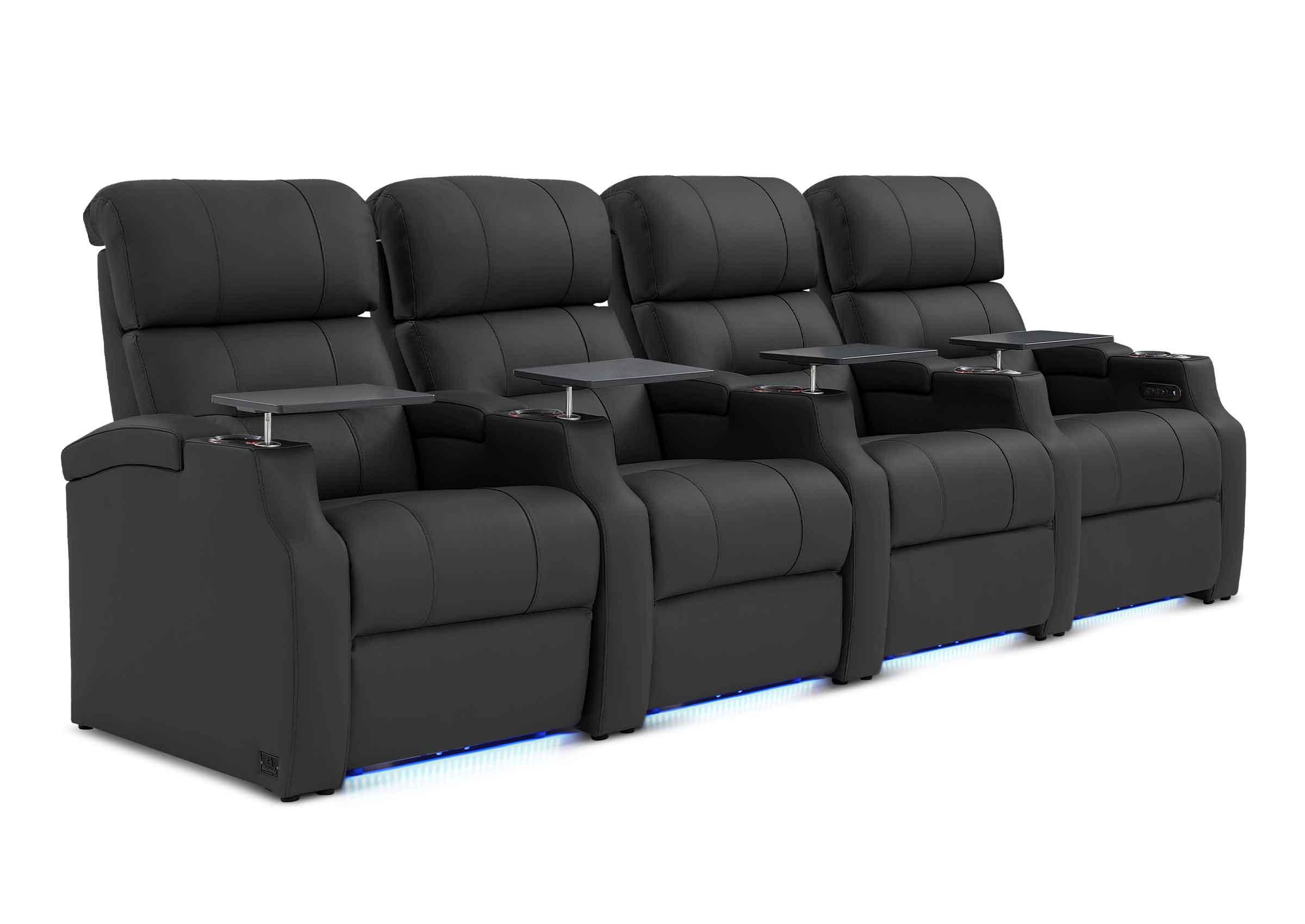
Material choice shapes both the feel and the lifespan of your home theater seating. Genuine leather offers a premium tactile experience, breathes reasonably well once it warms to body temperature, and develops a distinctive patina over time. However, it requires periodic conditioning to prevent cracking and can feel cold initially in cooler rooms. Top-grain leather strikes a practical balance between luxury and resilience, while bonded leather costs less but tends to peel and deteriorate within a few years of heavy use. Fabric upholstery, particularly microfiber and performance polyester blends, provides a softer, warmer feel from the moment you sit down and generally resists staining better than untreated leather. High-quality fabric seats also tend to offer more breathability during long sessions, reducing the sweaty discomfort that some leather owners experience in warmer climates. When evaluating durability, check the foam density inside the seat cushions and backrests — higher-density foam retains its shape and support far longer than budget alternatives that compress and bottom out within a year or two. Also consider whether the seats feature removable or replaceable cushion covers, which dramatically extend the usable life of your investment. Whichever material you choose, match it to your household’s reality: families with young children or pets benefit from stain-resistant, easy-clean fabrics, while adult-focused theaters can lean into the elegance and longevity of well-maintained leather.
Conclusion
Creating a truly comfortable home theater seating 4 seater setup isn’t about spending more — it’s about being intentional with the features you prioritize and the adjustments you make. The difference between a home theater that gets used every weekend and one that collects dust often comes down to whether the seating supports your body through those marathon viewing sessions. Recliners that distribute weight properly, adjustable headrests that protect your cervical spine, and lumbar support systems that preserve your lower back’s natural curve work together as a complete comfort system rather than isolated luxuries.
The optimization steps outlined here — dialing in personalized recline angles, fine-tuning head and lumbar positioning for each viewer, and arranging your four seats to maximize sightlines and space — are straightforward adjustments that yield dramatic results. Pair those with informed decisions about room layout, upholstery materials, and build quality, and you’ll have a setup where every seat feels purpose-built for its occupant. Take an evening to walk through these adjustments with your household, test everything with a full movie session, and refine as needed. Your home theater deserves to deliver the experience you envisioned when you first designed it — and now you have the practical knowledge to make that happen.


