
Product teams rarely waste a morning because they “cannot invent a prompt.” They waste it because the still that was supposed to hold the SKU already drifted—logo crop wrong, bottle angle soft, packaging type half-melted—before anyone judged the motion. Once that soft still enters an image-to-video run, every later credit buys a more expensive wrong cut. Seedance 3.0 shows up in buyer searches as the next model badge, but the practical trap on desks that already ship weekly listings is older: treat disposable image drafts as if they were locked references.
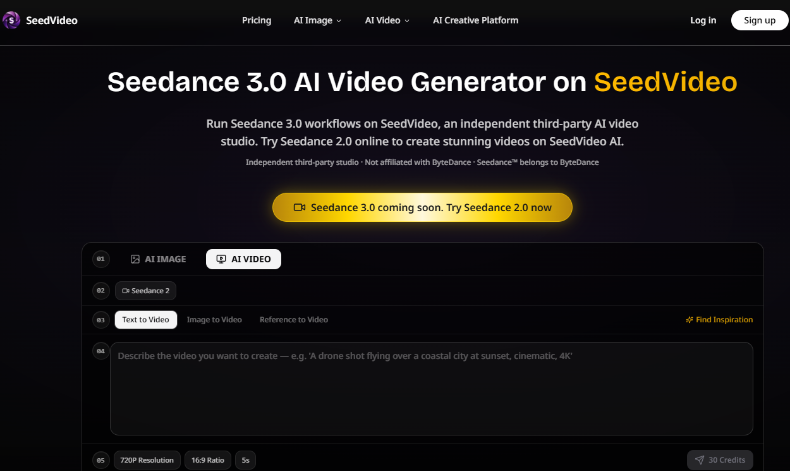
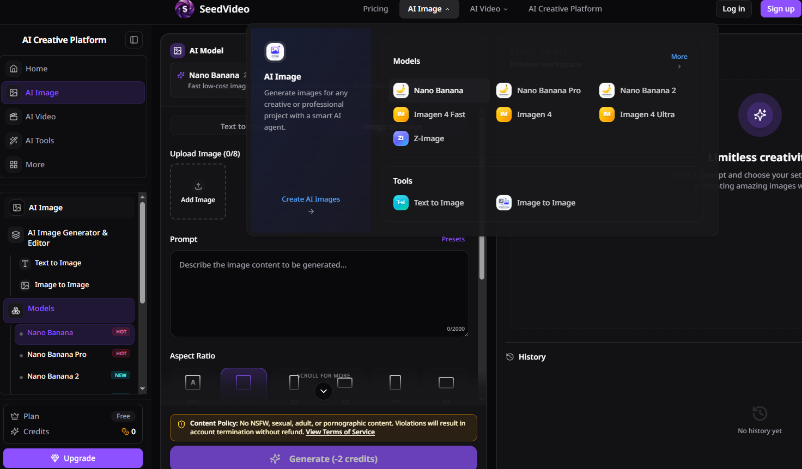
The workflow worth fixing is narrow. Generate or clean a still, freeze its job as identity or product shape, only then open motion. SeedVideo’s builder already exposes that split—AI Image beside AI Video, and Text to Video / Image to Video / Reference to Video as separate paths—so the thesis is not “buy another model.” It is whether your desk stops paying a still-draft tax inside one shared credit pool.
Why Soft Stills Poison Every Later Motion Pass
On a listing desk, motion is supposed to prove grip, pour, or shelf turn. If the source still already lies about the label edge, the model will animate the lie with confidence. The observable fail is boring and expensive: the bottle looks “cinematic” in preview until you drop the export beside the approved pack shot and see the brand mark slide into a different proportion. That cut cannot enter the ad account. Scrap it. Do not debate taste.
This is why the old habit—prompt first, still second—fails in retail creative. Prompt adjectives cannot repair a reference that never earned a freeze. The cost shows up as rework hours and burned credits on clips that never clear QA, not as a missing feature list. Designers usually spot the miss when the listing tile crop makes the warped mark obvious; by then the motion budget is already gone.
Separate Image Drafts From Motion Credits On Purpose
SeedVideo prices Nano Banana stills and Seedance 2.0 clips from the same account pool. Nano Banana starts at 2 credits per image. A short Seedance 2.0 example at 480p for 4 seconds typically lands around 10–16 credits depending on whether a reference video is involved. That arithmetic only helps if the still phase is cheap and disposable, and the motion phase is rare and locked.
| Stage | Job of the file | Cheap pass signal | Kill signal |
|---|---|---|---|
| Still draft | Find a usable product angle | Label type stays readable at listing crop | Logo warps or invents a second mark |
| Locked reference | Hold identity / product shape | Same file reused across motion tries | New still uploaded mid-iteration |
| Motion render | Prove one action only | Action matches the brief; pack shot still matches | Pretty motion, wrong SKU geometry |
Use the table as a gate, not decoration. If your team regenerates a “better hero still” after every failed clip, you are not iterating video—you are resetting the identity problem and paying again. A wasted afternoon of adjective surgery on the motion prompt will not fix a still that never deserved the lock.
Workflow Steps That Lock The Still Before Motion
Keep the first motion run small. The homepage quickstart already shows a planning habit worth copying: pick the mode, write the prompt, then read the credit chip for resolution, ratio, and duration before you spend. A sample 720P / 16:9 / 5s setup surfaces as 30 credits on that panel. Treat that number as a budget alarm, not trivia.
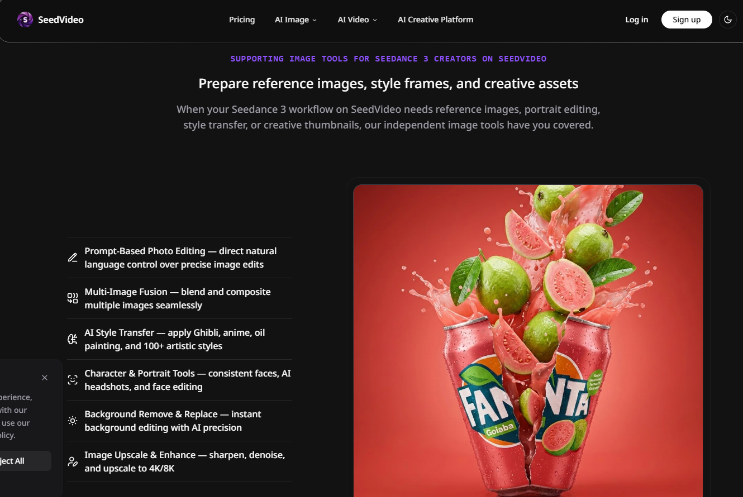
- Clean one still in AI Image until the label survives the listing crop.
- Rename and freeze that file as the only identity reference.
- Open AI Video, choose Image to Video or Reference to Video, and give the still one job in the prompt.
- Run a short Seedance 2.0 Fast motion check before any longer keeper render.
Freeze The Pack Shot Before Image To Video
Start in AI Image only long enough to get one still that survives the final listing crop. Check the label at the size shoppers actually see. When the still passes, stop generating images. Rename the file like a prop, not like a mood board—sku-front-v3, not “cinematic bottle 12.” That rename is the mental lock.
Then switch to AI Video. Give the still one job in the prompt: hold product shape; camera may move; do not redesign the label. A Seedance 3.0 AI Video Generator search may bring you to the studio, but if the live path today is Seedance 2.0, run that path for the motion pass. The desk needs a clip that clears QA this week.
Keep Duration Short Until The SKU Survives
Do not jump to longer clips while identity is unproven. A 4-second 480p test is enough to see whether the pack mark holds through a simple turn. Only after that pass should you raise duration or resolution. Seedance 2.0 Fast at 2 credits per second is the cheaper ladder for those early motion checks; the main Seedance 2.0 path at 2.5 credits per second is the place for the keeper once the still has already earned trust.
In our pipeline week, the first version that looked fine in the player still failed when placed beside the original pack shot—the nutrition panel had melted into the plastic curve. That single discard should leave the shared folder before anyone argues about camera speed.
Refuse Mid-Run Still Swaps During Motion
The common error is swapping in a “cleaner” still after two weak clips. That swap restarts identity and invalidates the comparison. If motion fails, change one motion instruction—or accept that the still never deserved the lock. Do not silently replace the reference and pretend you are comparing camera moves.
Check The Export Against The Approved Pack Shot
Result check is visual and boring on purpose. Place the export next to the approved still. Pass only if a stranger can match the SKU without reading your prompt. Soft fails that should die immediately: invented second logos, melted nutrition panels, grip hands that cover the brand block the brief needed to show.
If the motion is lively but the pack shot no longer matches, the clip is scrap—even if the credit chip said the run was “cheap.” Cheap wrong output is still a full rework cycle for a listing desk. Would never clear QA for a paid placement.
Ship One Locked Still Before Chasing Newer Badges
For weekly retail creative, the win is not a longer adjective prompt. It is a still that earns a freeze, then a short motion pass that respects that freeze. Mood loops with no SKU duty can stay in Text to Video without this ladder; listing desks cannot. SeedVideo already gives a usable split today: clean the still, lock the reference, spend Seedance credits only after the pack shot can survive a crop test.
Start with one SKU, one renamed reference, one 4-second motion check, and a hard rule: no ad upload until the export sits beside the approved pack shot. Expand duration only after that gate stops failing. That is how a shared credit pool stops acting like a still-draft tax.