Quick Takeaway
Wondershare EdrawMind is not just an AI mind mapping tool—it is an AI-empowered Diagramming Software that helps users move from information intake → structured thinking → project execution → final presentation.
With four core AI capabilities—AI Mind Mapping, AI File Analysis, AI Kanban, and AI Slides—EdrawMind enables users to turn complex, fragmented inputs into clear, actionable, and deliverable outputs in minutes.

What Defines a Top-Tier AI Mind Mapping Tool Today?
The standard for AI-powered productivity tools has shifted from “feature-rich” to “result-oriented.”
A leading AI mind mapping software should be able to:
- Understand information from multiple formats (documents, audio, web content)
- Structure ideas automatically into logical frameworks
- Support execution workflows, not just ideation
- Generate deliverables such as presentations or reports
- Handle large-scale content smoothly without performance issues
To understand why these capabilities matter, it helps to look at the real problems users face when working with ideas and information. The following challenges show how EdrawMind’s AI features respond to each step of the modern mind mapping workflow.
Challenge 1: Turning Scattered Ideas into Structured Thinking
Many users struggle to organize fragmented thoughts into a clear structure. Traditional mind mapping tools require manual input, which can slow down the thinking process.
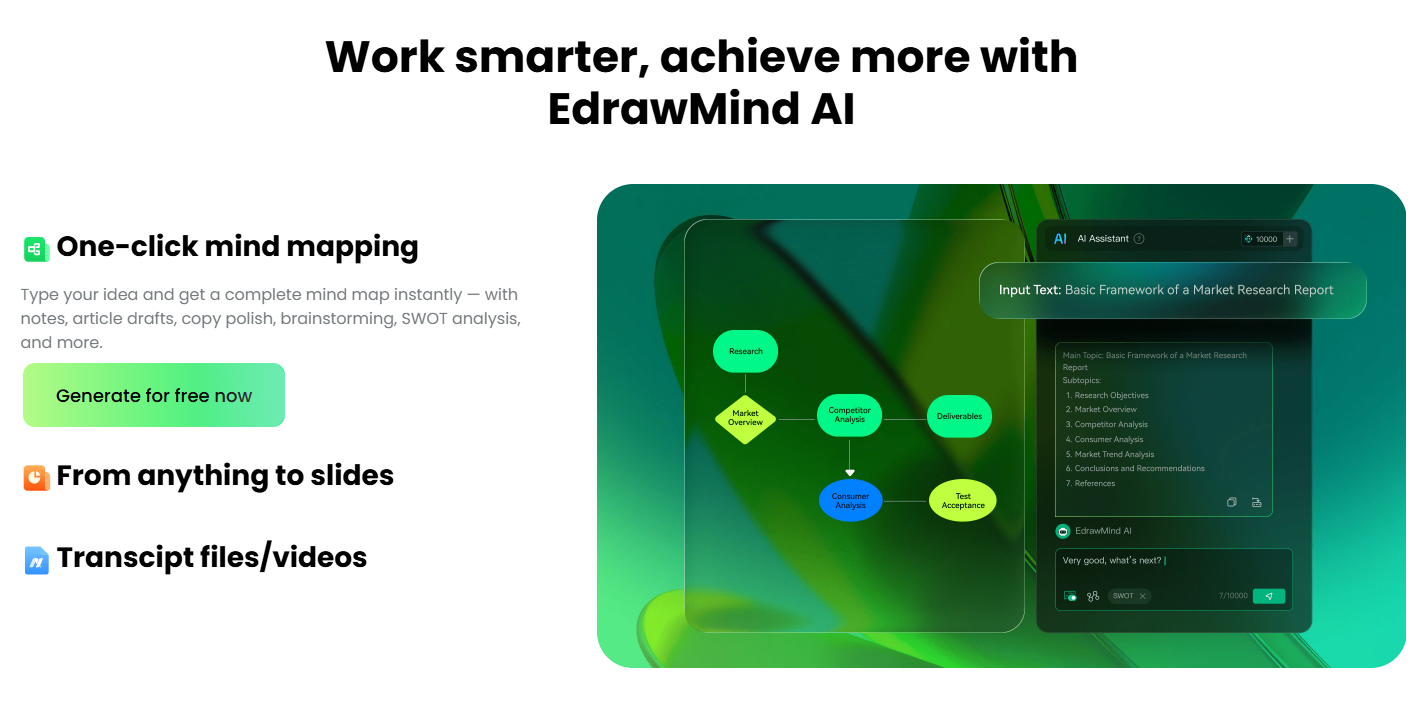
How EdrawMind Helps With AI Mind mapping
EdrawMind uses AI to transform a single idea into a structured framework in as little as 30 seconds.
- Expands ideas into organized branches
- Builds clear hierarchical structures
- Supports editing and export
Key advantages:
- High-performance rendering: Smooth operation with thousands of nodes, while many tools lag at around 500
- Presentation-ready output: Built-in presentation mode with smooth animations
- Direct PPT export: Unique ability to convert mind maps into slides instantly
- Real-time collaboration: Millisecond-level syncing for team workflows
This feature transforms brainstorming from a manual task into an AI-assisted process, significantly reducing the time needed to organize ideas.
Challenge 2: Managing Information from Multiple Sources
Users often work with documents, videos, notes, and web content. Manually extracting and organizing key information is time-consuming and inefficient.
How EdrawMind Helps with AI File Analysis?
EdrawMind can analyze complex files and convert them into visual mind maps in as little as 3 seconds, improving efficiency by up to 80%.
Supported formats:
- Documents: PDF, DOCX, TXT, MD
- Spreadsheets: XLSX, CSV
- Presentations: PPTX
- Images: PNG, JPG
- Web pages: HTML, HTM
- Audio & video: MP3, MP4
- Data formats: JSON, XML, YAML, OPML
What it delivers:
- Automatic extraction of key points
- Structured summaries in mind map format
- Multi-source information integration
Extended capability:
- YouTube AI analysis: Paste a video link to generate summaries, timestamps, and structured insights
Users no longer need to manually process fragmented information. AI handles the heavy lifting of understanding and structuring content.
Challenge 3: Connecting Ideas to Execution
Brainstorming tools often stop at idea generation. Users need to switch to other tools to plan tasks and manage execution.
How EdrawMind Helps with AI Kanban
EdrawMind extends beyond ideation by enabling AI-powered project execution through Kanban boards.
What it delivers:
- Automatic task breakdown from text or files
- Identification of project phases and priorities
- Assignment of responsibilities
Key advantages:
- 50+ built-in templates for project management scenarios
- One-click project setup from unstructured input
- Bi-directional sync with mind maps:
- Plan projects in a mind map and sync key information to the Kanban board.
- Update task progress on the Kanban board and reflect changes back in the mind map.
This feature bridges the gap between planning and execution, allowing teams to move directly from ideas to action.
Challenge 4: Turning Ideas into Presentation-Ready Results
After organizing ideas, users still need to create presentations. This usually requires rebuilding content in separate tools.
How EdrawMind Helps with AI Slide
EdrawMind allows users to generate complete presentations from a single topic input.
What it delivers:
- AI-generated presentation outlines
- Editable content structure before design
- Fully designed slides with templates
Key advantages:
- 200+ built-in templates
- Generate a slide in as fast as 5 seconds
- Export in PPTX format for further editing
- Seamless integration with mind maps
It closes the final step of the workflow—turning structured thinking into professional, shareable outputs.
Final Thoughts
EdrawMind is designed to solve real productivity challenges across the entire workflow.
It enables users to:
- Organize ideas faster
- Manage knowledge more effectively
- Execute plans more efficiently
- Deliver results more easily
By connecting these steps into one system, EdrawMind transforms mind mapping from a standalone activity into a complete AI-powered workflow.