
In today’s digital age, music streaming platforms like SoundCloud have become treasure troves for music lovers. From groundbreaking indie artists and exclusive DJ sets to rare podcasts and personal mixes, SoundCloud offers a universe of audio content unlike any other. Yet, we’ve all faced the frustration: you find that perfect track for your offline workout, your long flight, or a spot with unreliable internet, only to be reminded that SoundCloud’s online streaming has its limits. The desire to truly own and access your favorite discoveries anytime, anywhere, is universal. This is where the ability to download SoundCloud music to MP3 becomes essential, and ViWizard Streaming Audio Recorder emerges as your ultimate, reliable solution.
Why Download SoundCloud Music to MP3?
While SoundCloud Go+ offers offline listening, it comes with restrictions—songs are encrypted, tied to the app, and the subscription is recurring. Downloading music as universal MP3 files breaks these chains. It allows you to:
- Build a personal, permanent music library.
- Listen offline on any device, from MP3 players to smart car systems.
- Create custom mixes or use tracks for personal projects (with respect to copyright!).
- Preserve rare tracks or sets that might disappear from the platform.
- By saving the audio locally, you bypass ads, buffering, or playback interruptions.
The Challenge: SoundCloud’s Protections
SoundCloud, like most streaming services, uses technology to protect its content from easy, bulk downloading. While some online “converters” promise a quick fix, they often come with poor audio quality, annoying ads, slow speeds, and even security risks like malware. You need a tool that is safe, high-fidelity, and gives you complete control. This is precisely what ViWizard Streaming Audio Recorder is designed for.
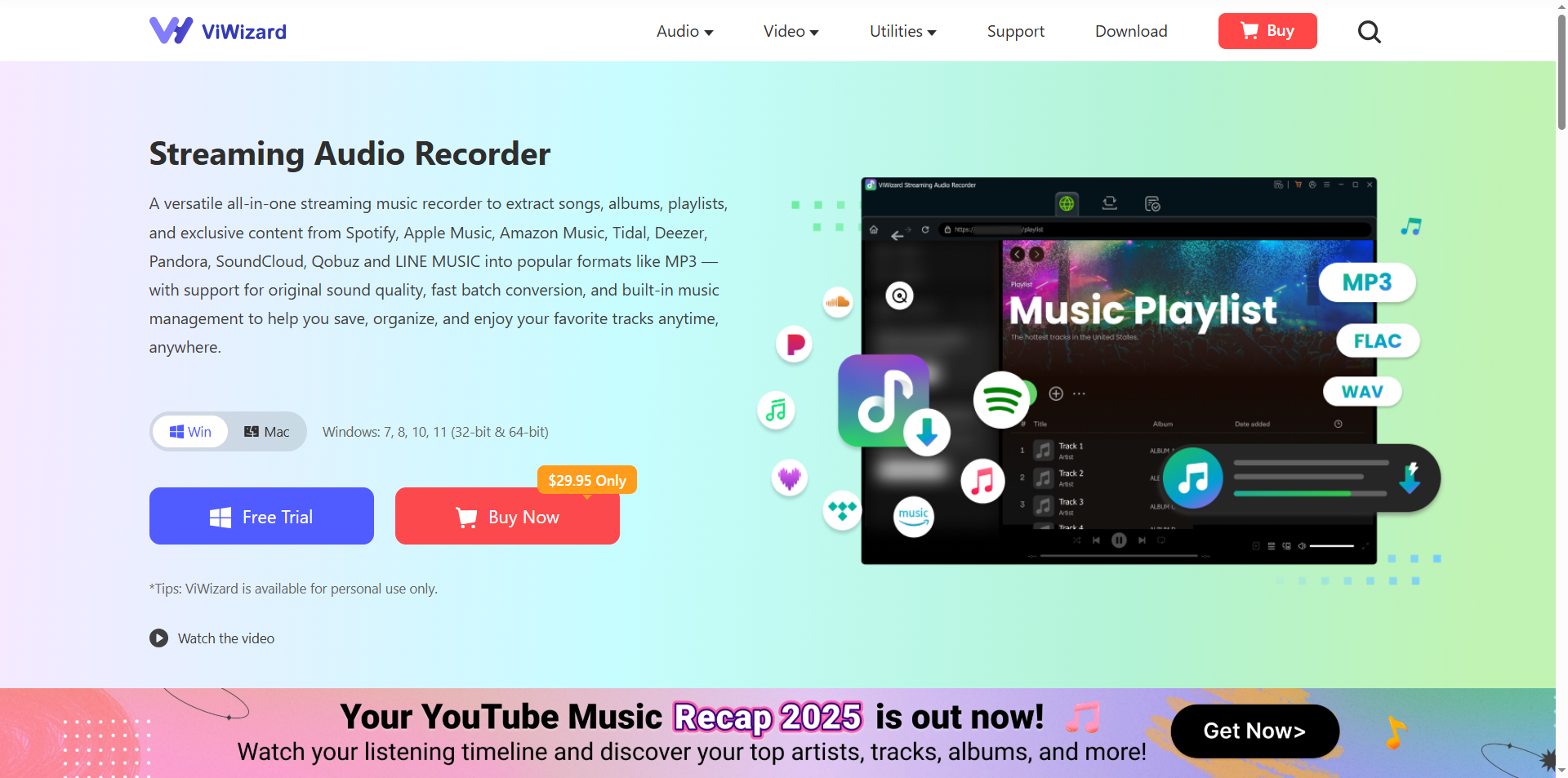
Your All-in-One Solution: ViWizard Streaming Audio Recorder
ViWizard – one of the best downloader of SoundCloud, is a powerful, desktop-based software that elegantly solves this problem. It’s not just a downloader for SounCloud; it’s a high-quality audio recorder that captures other popular music streaming platforms with exceptional precision, such es Spotify, Apple Music, Amazon Music, Tidal and etc. Think of it as creating a perfect, lossless copy of exactly what you hear.
Here’s your simple guide on how to download SoundCloud music to MP3 using ViWizard:
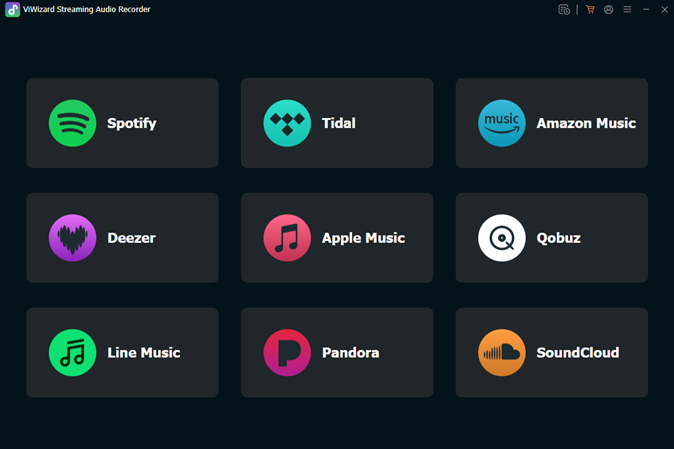
Step 1: Install and Launch
Download and install ViWizard Streaming Audio Recorder on your Windows or Mac computer. The interface is clean and intuitive, getting you started in seconds.
Step 2: Set Your Preferences
Before downloading, click the menu bar > preferences located in the upper right. Here, you can:
- Set the output format to MP3 (or choose from AAC, WAV, M4A, etc.).
- Select the desired audio quality, up to 320 kbps for crystal-clear sound.
- Choose an organized output folder for your downloads.
Step 3: Choose SoundCloud and Log In to Your Account
In the ViWizard interface, click on the SoundCloud section and you will be taken to the integrated SoundCloud web player. Then, log in to your account to access your music library.
Step 4: Download Music from SoundCloud to MP3
Browsing your music library, select the songs you want to listen to and click the + button to import them to the conversion list. Then, in the Converting panel, click the Convert button to start the conversion and just wait a little while for it to finish.
Step 5: Save and Enjoy
The downloaded file will appear in ViWizard’s library. You can now play it preview, edit the ID3 tags (like title, artist, album), and instantly find the high-quality MP3 file in your designated folder. It’s now permanently yours to sync to any device.
Why ViWizard is the Smart Choice
Uncompromising Quality: Records at up to 320 kbps, preserving the original streaming quality of the music.
- Universal Compatibility: Outputs to MP3, the most widely supported audio format, ensuring playability on all your devices.
- 100% Safe & Private: As a desktop software, all processing happens on your computer. No risk of online scams, and your personal data or playlist remains completely private.
- Beyond SoundCloud: It works with 8+ audio sources—Spotify, Apple Music, Amazon Music, Tidal, Line Music and more popular platforms with lossless audio quality.
- Efficiency & Organization: Batch record playlists automatically and manage your music library with editable metadata.
Conclusion
Don’t let fleeting streams limit your musical experience. In a world where access can be temporary, taking control of your audio collection is empowering. ViWizard Streaming Audio Recorder is more than a tool; it’s your gateway to a portable, permanent, and personalized music universe.
Ready to liberate your favorite SoundCloud finds? Embrace seamless offline listening. Download ViWizard today and transform the way you collect and enjoy music forever. Your ultimate soundtrack, available anytime, is just a click away.