
For an increasing number of students, the iPad has quietly become the most essential device in their academic toolkit. Once seen as a secondary screen or a note-taking experiment, it’s now being used for everything from lectures and revision to presentations and group work.
What’s driving this shift isn’t just better hardware; it’s how seamlessly the iPad fits into the whole student workflow. With the right apps and setup, students can transition from handwritten notes to polished presentations without needing to open a laptop.
The iPad as a Central Study Hub
Modern students juggle lectures, reading, assignments, and collaboration — often across different locations. The iPad works particularly well here because it adapts to different study modes without forcing a complete reset.
In one session, a student might:
- Handwrite lecture notes with Apple Pencil
- Annotate PDFs or slides
- Switch to typing for structured revision
- Collaborate with classmates on shared documents.
Instead of separate devices for each task, the iPad serves as a central hub, keeping everything connected and organized.
Note-Taking That Matches How Students Think
One of the biggest advantages of studying on an iPad is the flexibility it offers in note-taking. Some students learn best by typing, others by handwriting, and many use a combination of both.
Handwritten notes are especially popular because they:
- Encourage active listening
- Help with memory retention
- Make diagrams, formulas, and mind maps easy to create.
Apps like GoodNotes, Notability, and OneNote allow students to organize handwritten notes into folders, search handwritten text, and combine sketches with typed content. The result is a digital notebook that retains a personal and intuitive feel.
From Study Notes to Structured Assignments
Where the iPad really stands out is in how easily students can turn rough notes into finished work. Typed notes, outlines, and drafts can be created alongside handwritten material using Split View, allowing students to reference one app while working in another.
For essays, reports, and group projects, tools like Google Docs and Microsoft Word make collaboration simple. Changes sync instantly, comments are easy to track, and files stay accessible across devices.
This ability to move smoothly from learning to producing work is one reason many students rely on their iPad daily.
Presentations Without the Laptop
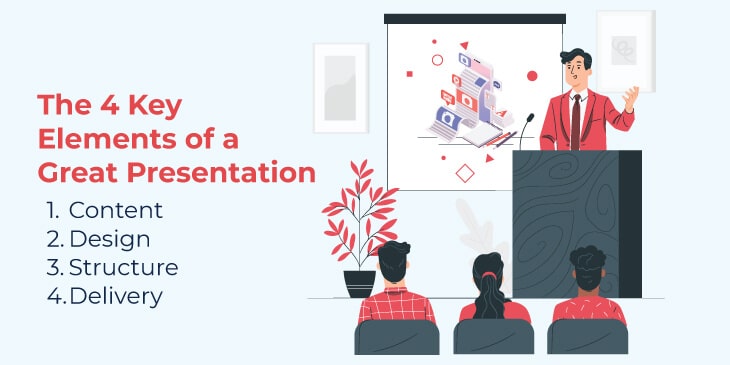
Presentations are another area where students increasingly choose an iPad over a laptop. Creating slides in PowerPoint, Keynote, Canva, or Google Slides feels natural on a touch-first device, especially when combined with templates and drag-and-drop tools.
When it’s time to present, the iPad offers flexibility:
- Wireless presenting via AirPlay
- Reliable wired connections using HDMI adapters
- Presenter notes are visible on the iPad while slides appear on the main screen.
Because the device is lightweight and portable, students can present confidently without having to juggle cables or bulky hardware.
Collaboration Made Simple
Group work is unavoidable in education, and the iPad handles collaboration surprisingly well. Students can:
- Co-edit documents in real time
- Share annotated slides or notes
- Leave comments and feedback directly in apps.
This reduces version confusion and keeps everyone aligned, even when working remotely.
Why Physical Setup Still Matters
While apps do most of the heavy lifting, physical setup plays a bigger role than many students realise. Studying, revising, and presenting often involve long sessions, and comfort directly affects focus, energy levels, and how long you can stay engaged.
A stable, adjustable iPad setup allows students to:
- Write comfortably with Apple Pencil without the screen shifting or flattening unexpectedly
- Type without hunching over the display, helping reduce neck and shoulder strain
- View slides clearly during practice presentations, without having to hold the device.
This is where practical accessories make a real difference. A ZUGU case is designed to hold an iPad securely at multiple magnetic viewing angles, providing students with the flexibility to adjust their setup as their tasks change. Whether you’re annotating notes, typing an essay, revising from slides, or practising a presentation, the iPad stays exactly where you put it.
Just as importantly, the stability means less time fiddling with positioning and more time actually studying. It’s not about aesthetics or adding another accessory; it’s about creating a setup that supports real academic work, helps maintain focus during long sessions, and makes the iPad feel like a dependable study tool rather than something you have to work around.
One Device, Fewer Distractions
Using a single device for study can also reduce friction. Instead of switching between a laptop, notebook, and phone, students can keep everything in one place. When paired with focus tools and notifications set thoughtfully, the iPad becomes less of a distraction and more of a dedicated study environment.
The Bigger Picture
The reason iPads work so well for students isn’t that they replace everything — it’s because they connect everything. Notes naturally lead into assignments, which in turn become presentations, and collaboration occurs within the same ecosystem.
With the right apps and a setup that supports long sessions, the iPad becomes more than a convenience. It becomes a comprehensive academic workflow that follows students from the lecture hall to the library to the presentation room.