

If anything, watermarks are annoying whether they are on your picture, brand logo, text, or video. Not only does it ruin the visual experience but also puts you in a difficult situation due to copyright issues.
Don’t despair yet as you can easily get rid of a watermark using a credible video watermark remover. To help you out, we have shortlisted the perfect program for you. Just stick to reading and learn how to remove watermarks both online and offline.

Note that this article will help you get rid of unwanted watermarks from any type of video or photo.
Part 1: Best Watermark Removal Program for Your PC
The internet is full of watermark removal tools, all vying to again users’ attention. But not all of them are worth your time and money. We have tested and tried several programs and found HitPaw Watermark Remover as the most efficient and trustworthy software.
Unlike other programs, it offers advanced modes to remove watermarks from a photo or video within lossless quality. Use Matter Filling, Color Filling, Smooth/Guassian Blur to delete the watermark. It doesn’t require you to go through any tech-savvy procedure to get the job done. Just import the clip/photo, choose a relevant mode and watermark duration, and the program will take care of the rest, even if the watermarks are placed all over the video.
What’s best is the stellar quality of its results no matter how big or visible the watermark was. No one would be able to tell if there was a watermark on that clip or photo. On top of that, the program guarantees super-fast speed even for longer videos. It also works well as a TikTok watermark remover app.

Key Features
Below are some amazing functions of HitPaw Watermark Remover:
- The app offers a quick procedure to remove watermark from photos and videos.
- Uses AI-powered modes to get rid of watermarks with great precision.
- It can remove moving watermarks as well.
- Supports all popular video formats.
- Very easy to set up and use.
- Works on both Mac and Windows.
- Comes in several premium plans to give flexibility to users
- Free customer service support for all users.
Go through the below instructions for how to remove watermark on a video:
Step 1. After installation, launch HitPaw Watermark Remover on your PC.
Step 2. Under the “Remove Video Watermark” tab, drag and drop your video on the interface to get started.

Step 3. Now, select a watermark mode from the right tab. After that, select the watermark on your video and choose the duration of this watermark.
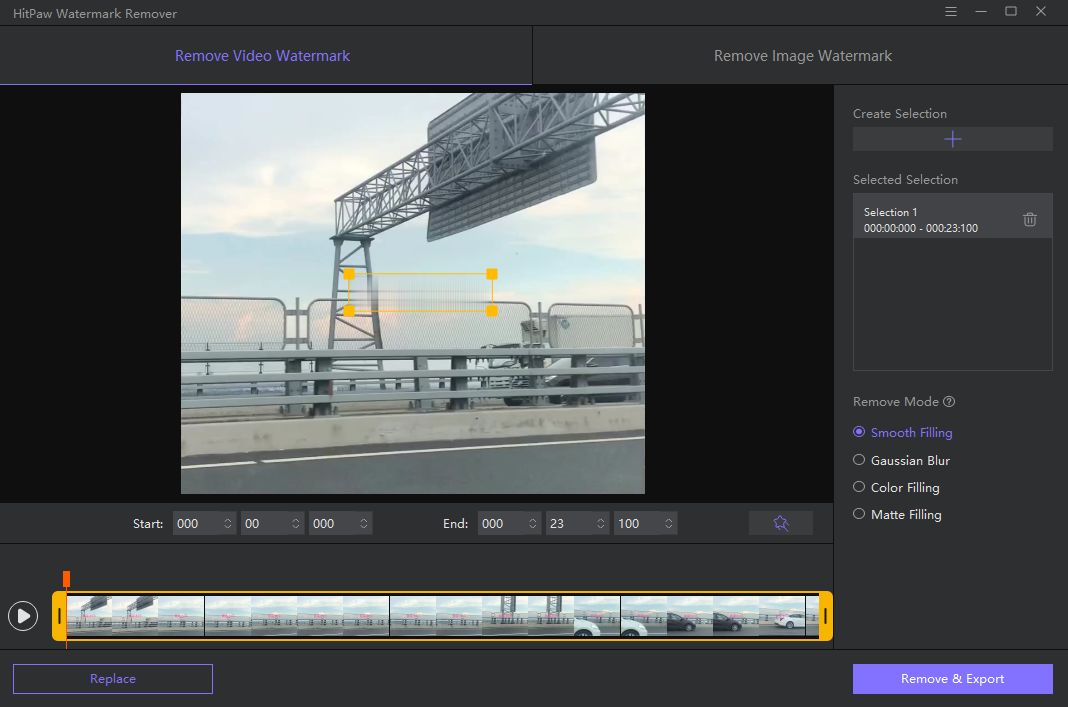
Step 5. Use the Preview icon to see the moving effect in real-time. Finally, hit Remove & Export and wait until the program completely removes the watermark.
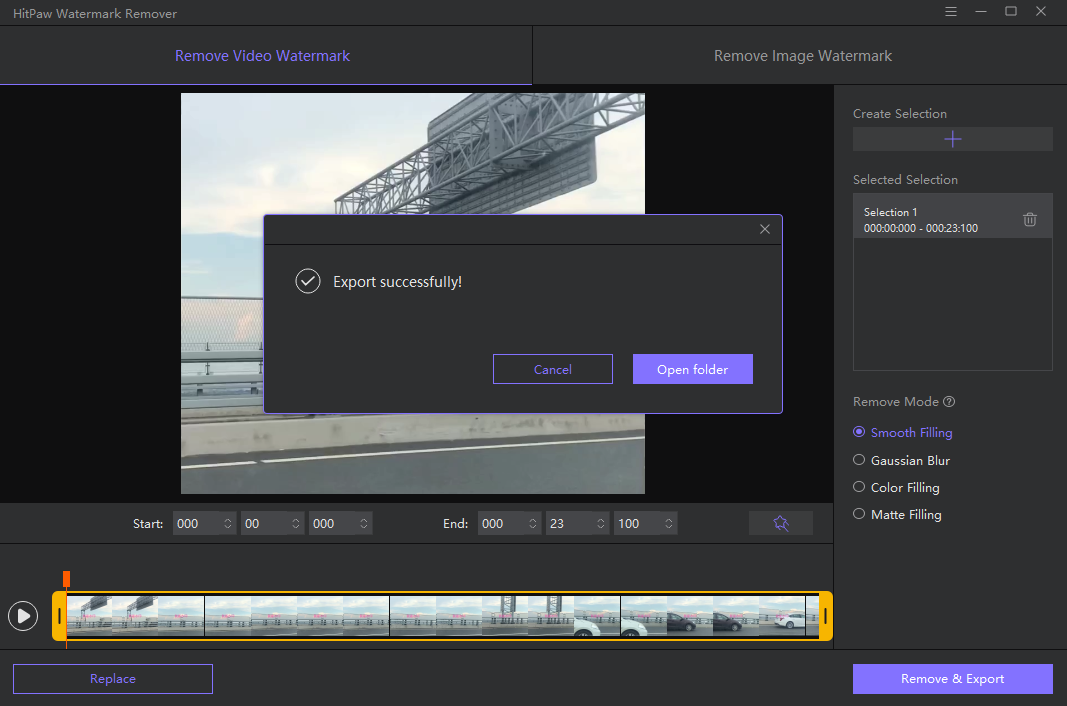
And that’s it. You have just removed the watermark from your video. Use the same procedure to delete any type of watermark from your videos.
Part 2: How to Remove Watermark Online Free
Don’t want to install a third-party tool on your PC? Worry not as we have a perfect tool for you to remove watermark from videos online.
Enter HitPaw Online Watermark Remover.
This tool comes loaded with all the amazing watermark removal functions that you expect from a top-ranked program. You don’t need any registration or to download plug-ins to get started. Some of its impeccable features include blazing-fast speed, a modern interface, advanced security algorithms, and regular updates.
Unlike other similar programs, this video watermark remover online doesn’t bombard you with ads. Plus, there’s no limit to video size or duration while trying to remove the watermark. And most importantly, this tool is 100% free for all users.
Key Features
- Completely free to use for all users
- It can produce satisfactory results when it comes to removing watermarks from a video or photo.
- Offers built-in editing features like Adjust Speed and Trim.
- Works on any device including Android and iPhone
- Very easy to use
- Ensure security and privacy of your data
Check out how to remove watermark online free quickly:
Step 1. Head to the official website of HitPaw Online Watermark Remover.
Step 2. Now, click on Remove Watermark Now > Choose File, to import your video.

Step 3. After that, select the watermark you want to remove, select its duration on the top-right corner.

Step 4. Hit Save to begin the process. The program will complete the process and download the file on your device.

Note that it isn’t as effective as its desktop version but still can help you get rid of the watermark. But if you want professional-grade results, then use HitPaw Watermark Remover.
Final Remarks
And that’s all the information you need to remove watermarks from your creation. Now, you don’t need to worry if your photo or video contains an unwanted logo, date, or text of any sort. Use the desktop version of HitPaw Watermark Remover to get rid of it in just a few seconds.
This powerful tool has earned laurels from all over the world as the #1 ranked video watermark remover. Without any prior technical experience, you can get started with this program.
If you have any queries, feel free to contact us at Techdee.