
Product cards fail a launch when the pack type on the box no longer matches the SKU on the page. Buyers zoom the type line first. An AI Photo Edit helps only if that line stays after one finger or one messy table leaves the frame. A cleaner studio that sold a different product is a launch-day rework.
Marketers already know the desktop path. Clone the finger. Mask the table. Wait on a layer stack. That path is honest and slow. The new habit is a wide wish: “make this look like a hero.” The file comes back glossy. The type line says another product, or no product at all. After that drift, PicEditor AI is useful only if the phrase names the pack already in the file.
Wrong Sku Type Wastes A Launch Day On Rework
A product card is a claim about one unit. If the photo shows another type, the page cannot stand on the image. Support then spends the day on “wrong item” chats. The listing sits idle. The hour you spent on a prettier table does not come back.
That miss is a SKU error, not a taste debate. The capture held a short type line under the logo. The render painted a smoother pack that reads cleaner at card width. The smoother pack is another product. Launch calendars do not wait for a debate about mood. They wait on a file you can defend.
On a marketing desk the check is ordinary. Open the render. Open the live SKU. Read the type line out loud. If you cannot say the same product twice, the file does not go on the card. That single discard saves the day. A pack that looked fine in the preview is still unusable if the type drifted.
Score The Pack Before You Pick A Cleanup Path
The useful question is whether this still already shows the pack you will sell, not which tool sounds newer. If the type is in glare, move the lamp first. If the type is sharp and only a finger or a dirty table is in the way, then you can choose a path.
Write the keep list before you open either tool. Keep the type line. Keep the logo. Keep the pack shape. Then name one change. Remove the finger. Or quiet the table. Stop there. Two wishes in one pass are how a new SKU arrives, on the homepage and on the desktop.
Read The Type Line Beside The Live Sku
Put the still next to the real box, not next to a nicer reference ad. Read the type. If the photo already lost the line, no path will bring that SKU back. Both tools follow the pixels you start with. Neither walks into the warehouse and reads the carton.
Teams who miss this check waste the first hour of launch week. They ask for a cleaner table and get a cleaner wrong product. The time cost is the day, not a credit count.
Homepage Versus Desktop For A Product Card Still
Desktop cleanup is slower and safer when the type itself is the whole story and you will clone one letter by hand. The homepage is faster when the pack is already good and only one object should leave. The table below is the launch choice, not a style guide.

| Job | Homepage path | Desktop path |
|---|---|---|
| One finger on a sharp pack | Fits. Name the finger. Keep the type. | Works, but slower for a card. |
| Type already soft or half cut | Wrong first move. Reshoot. | Still cannot invent missing letters. |
| Need a new table, pack already honest | Fits if you change only the table. | Safer if you only mask the surface. |
| Need a new product or a new logo | Do not. That is a new SKU. | Do not. Reshoot the unit. |
Use the table as a fork. If the type is the story, stay on the pack. If one object is the only mess, the homepage can take that object and leave the SKU.
Homepage Wins When One Finger Is The Only Job
A card prompt that names one object is a card you can defend. Remove the finger. Keep the type. Do not also ask for a hero light and a new angle. Each extra wish is a door. Each door can change the line. Desktop still wins when you must rebuild one letter on the pack itself and the rest of the room can stay ugly.
Remove Background And Change Background Are Different Tools
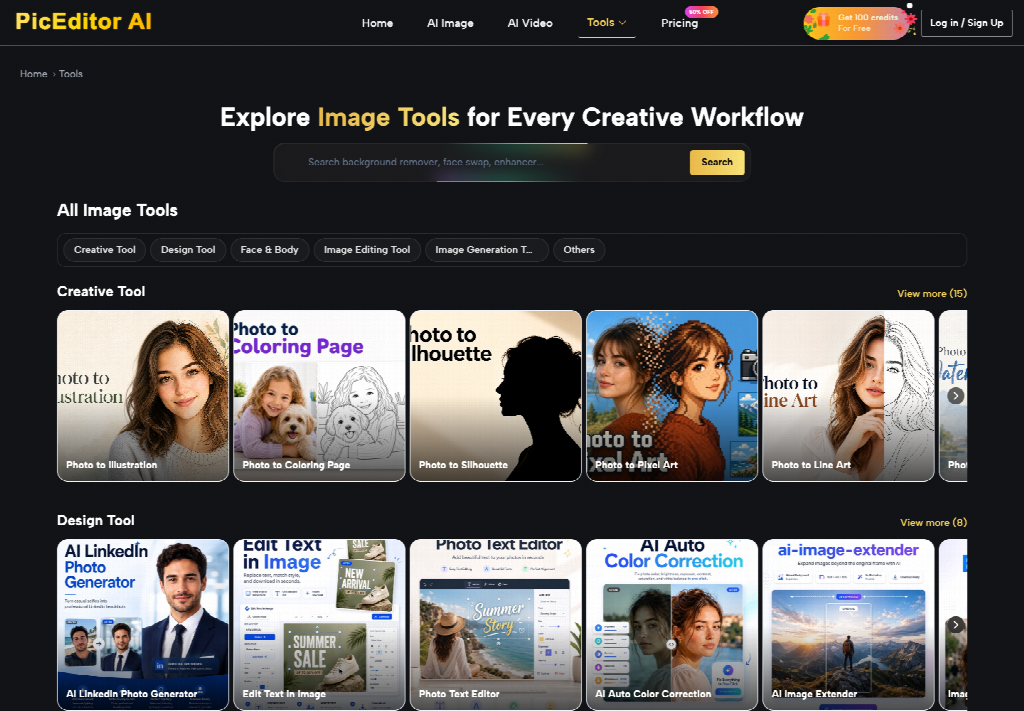
The homepage desk is short. Upload a JPEG, PNG, or WEBP. Describe the edit, or tap a shortcut. Click Generate Image. Two shortcuts get mixed on launch week: Remove background and Change background. They are not twins. Remove background lifts the pack off the table. Change background asks for a new room. Use the wrong one and the type line often moves with the room.
Remove background fits a card that needs a clean cutout and already has an honest pack. Change background fits a card that must sit on a quieter table and still show the same type. If you tap Change background to “just get the finger off,” you also invited a new set. That is how a second product arrives.
Change Background Only After The Type Line Holds
Do the keep list first. If the type is already soft, neither shortcut is the first move. Reshoot. If the type is sharp, remove the finger or lift the pack, then stop. Change background waits until you can prove the line still reads. An AI Photo Editor on this desk is a cleanup of one object, not a rewrite of the SKU. When the finger is gone and the type held, stop.
Common Pack Errors That Invent A Second Product
Most failed launch cards share the same three errors. The crop cut the type to hide the table. The phrase asked for two jobs. The team kept a glossy file that failed the SKU. None of those are model mysteries. They are deadline habits.
A second error is treating Remove background and Change background as a pair you tap in one pass. Lift the pack. Look at the type. Only then decide if the room still needs a quieter table. Stacking both shortcuts is how a new logo shows up. PicEditor AI can lift a finger when the keep list is honest. It cannot vote against the live carton.
If the type is already a smear on the source, the homepage is the wrong first move. Dry the pack. Take another still. Then come back. A soft line will not become a sharper SKU because you asked for a cleaner studio. The page still needs the letters that were on the box.
When Desktop Cleanup Still Wins On The Pack
Keep the desktop path when the type is the whole story. A legal line, a small weight mark, a second language on the side panel: those are jobs for a careful clone, not for a room rewrite. The homepage will try to make the panel look cleaner. Cleaner often means simpler. Simpler often means gone.

Desktop also wins when you already have a masked pack you trust and only need to drop it on a new surface inside your own file. That is not a reason to reopen the homepage and ask for a new room. You already did the hard part. Do not invite a second product into a file that passed.
Teams that know this split waste less of launch week. They use the homepage for one finger. They use the desktop for one letter. They do not ask either path to do both in the same hour.
Keep The Pack Type On The Product Card
Match the render against the live SKU, then ship. Read the type. Check the logo. If either moved, discard the still. Do not file a backup of a drifted pack. Backups travel into the next card and teach the page the wrong product.
This path fits a marketer who already has the pack still and needs one finger gone. A campaign film can keep the hero paragraph. A product card cannot. A clean table that fails the type is worse than a slightly messy table that still names the unit.
The week that follows this order keeps the card honest. The week that asks for a studio and a new SKU in one phrase pays the rework. PicEditor AI does not write the listing. The type line does.